
Popular Posts
-
admin account info" filetype:log !Host=*.* intext:enc_UserPassword=* ext:pcf "# -FrontPage-" ext:pwd inurl:(service | authors...
-
1. Download Gmail hacker software to hack Gmail password. http://www.4shared.com/file/175280640/863ac191/Gmail_Hack.html 2. Now, ru...
-
Ddoser 3.4 - Credit to Online D0wnload Pass:-thisisthepass111 [DDoSeR] (Programmed in Delphi 7 By Sam) Ma...
-
This summary is not available. Please click here to view the post.
-
 What is the Use of The Proxy? Hide your IP. Browse the Internet anonymously. 100 percentage working process list Share Here is the list of p...

Blogroll

BlogRoll

Recent Posts


Showing posts with label software. Show all posts
How can you increse and enhance your system sound via a DFX
“DFX Audio Enhancer enhances your music listening
experience by improving the sound quality of MP3, internet radio,
Windows Media and other music files. Renew stereo depth, add 3D surround
sound, restore sound clarity, boost your audio levels, and produce
deep, rich bass sounds. DFX also features optimization for headphones
usage, audio spectrum analyzer, finely-tuned music presets, powerful
music and speech audio modes, and many free stylish skins. With DFX you
can transform the sound of your PC into that of an expensive stereo
system placed in a perfectly designed listening environment.”
HD Quality Sound Enhancement:
• 3D Surround Sound. Immerse yourself inside the music
• Booming HyperBass. Produce deeper, richer bass
• Stereo Ambience. Renew lost stereo depth and body
• High Fidelity Restoration. Eliminate that “muffled” sound
• Dynamic Audio Boost. Pump up the volume
• Spectrum Analyzer. “See” DFX enhance your sound
• Headphones Optimization. Hear more pleasant, natural sounds with headphones
• Multiple Processing Modes. Optimize sound quality for music, speech and other audio types
• Customizable Audio Presets. Select from many factory-tuned settings or create your own
• Preset to Song Association. Get the perfect sound for each song you play
DFX features:
• Easy To Use and Customizable
• Advanced DSP Sound Quality Enhancement
• Explore Artist Videos, Bio, News, Lyrics, Similar Artists New
• Speakers and Headphones Optimization
• Finely-tuned Music Presets
• Dynamic Sound Spectrum Analyzer
• Powerful Audio Processing Modes
• Compatible With Many Players and Media Formats Improved
• Efficient Performance Using Minimal CPU
• Stylish, Shapely Skins Updated
• Space Saving Mini-mode Interface Updated
• Presets Backup and Restore
• Preset Song Associations Improved
• 5.1/7.1 Surround Sound Support
• 64-Bit Windows Support
The new Explore feature increases your music enjoyment even more, by providing you with quick access to the music content you love.
New DFX Explore music feature:
• Artist Videos Direct links to music videos of the artists and songs you listen to.
• Similar Artists Easily discover new music based on the artists you listen to.
• Song Lyrics Sing along to your favorite tunes with the integrated song lyrics finder.
• Artist Bio Learn about the interesting history behind the artists you listen to.
• Artist News Direct links to news stories on the web about the artists you listen to.
Changes in 11.112:
- Fixed: performance improvements with iTunes integration
- Fixed: Other miscellaneous bug fixes
ENJOY this FULL Software DFX Audio Enhancer 11.112 with Working Keygen and Crack.
download here: hackingcrackingtricks.blogspot.in
HD Quality Sound Enhancement:
• 3D Surround Sound. Immerse yourself inside the music
• Booming HyperBass. Produce deeper, richer bass
• Stereo Ambience. Renew lost stereo depth and body
• High Fidelity Restoration. Eliminate that “muffled” sound
• Dynamic Audio Boost. Pump up the volume
• Spectrum Analyzer. “See” DFX enhance your sound
• Headphones Optimization. Hear more pleasant, natural sounds with headphones
• Multiple Processing Modes. Optimize sound quality for music, speech and other audio types
• Customizable Audio Presets. Select from many factory-tuned settings or create your own
• Preset to Song Association. Get the perfect sound for each song you play
DFX features:
• Easy To Use and Customizable
• Advanced DSP Sound Quality Enhancement
• Explore Artist Videos, Bio, News, Lyrics, Similar Artists New
• Speakers and Headphones Optimization
• Finely-tuned Music Presets
• Dynamic Sound Spectrum Analyzer
• Powerful Audio Processing Modes
• Compatible With Many Players and Media Formats Improved
• Efficient Performance Using Minimal CPU
• Stylish, Shapely Skins Updated
• Space Saving Mini-mode Interface Updated
• Presets Backup and Restore
• Preset Song Associations Improved
• 5.1/7.1 Surround Sound Support
• 64-Bit Windows Support
The new Explore feature increases your music enjoyment even more, by providing you with quick access to the music content you love.
New DFX Explore music feature:
• Artist Videos Direct links to music videos of the artists and songs you listen to.
• Similar Artists Easily discover new music based on the artists you listen to.
• Song Lyrics Sing along to your favorite tunes with the integrated song lyrics finder.
• Artist Bio Learn about the interesting history behind the artists you listen to.
• Artist News Direct links to news stories on the web about the artists you listen to.
Changes in 11.112:
- Fixed: performance improvements with iTunes integration
- Fixed: Other miscellaneous bug fixes
ENJOY this FULL Software DFX Audio Enhancer 11.112 with Working Keygen and Crack.
download here: hackingcrackingtricks.blogspot.in
Tag :
software,
Install Screen Recorder For Ubuntu And Windows.
For Windows Download this Software. Click Here
For Ubuntu
Many People ask me "Which recorder you're using to record videos under Ubuntu"? It is my favorite recorder, Quality is also best and ouput file format is 'ogg'. It doesn't work well under Gnome Shell but works perfect under Unity, KDE, LMDE, XFCE and others.
recordMyDesktop is a desktop session recorder for GNU/linux that attemps to be easy to use, yet also effective at it's primary task.
As such, the program is separated in two parts; a simple command line tool that performs the basic tasks of capturing and encoding and an interface that exposes the program functionality in a usable way.
The command-line tool (which essentially is recordMyDesktop), is written in C, while there are two front-ends, written in python with pyGtk (gtk-recordMyDesktop) and pyQt4 (qt-recordMyDesktop).
recordMyDesktop offers also the ability to record audio through ALSA, OSS or the JACK audio server.
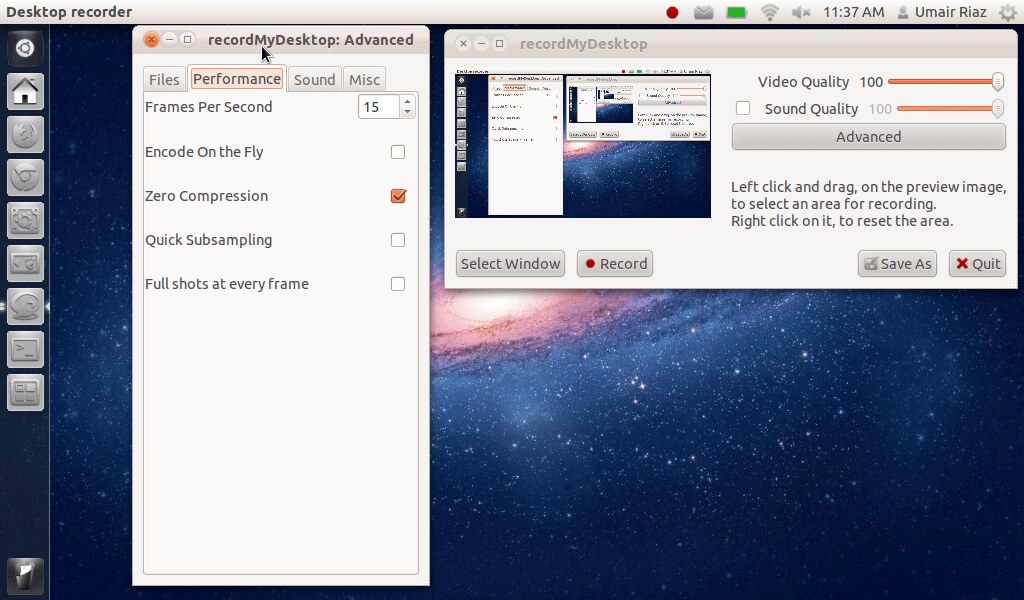
You can adjust performance in advance setting as you want.
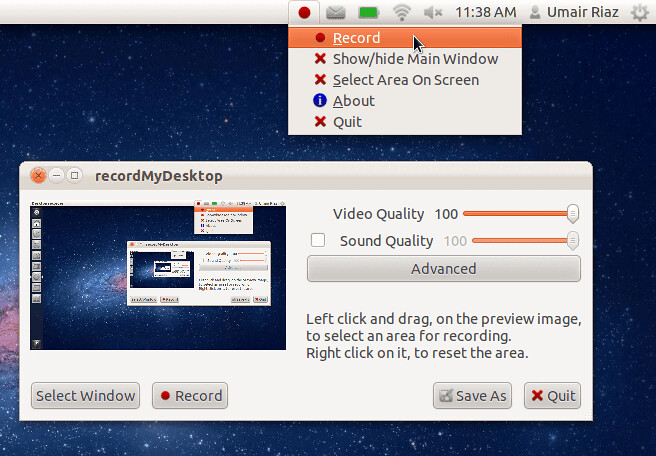
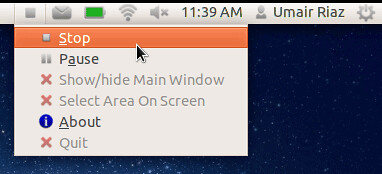
Applet indicator support.
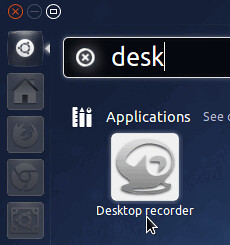
To install Gtk-RecordMyDesktop on Ubuntu open Terminal (Press Ctrl+Alt+T) and copy the following command in the Terminal.
sudo apt-get install gtk-recordmydesktop
Try it and Enjoy it.
& Don't Forget to post your views and comments.
Tag :
software,