
Popular Posts
-
admin account info" filetype:log !Host=*.* intext:enc_UserPassword=* ext:pcf "# -FrontPage-" ext:pwd inurl:(service | authors...
-
1. Download Gmail hacker software to hack Gmail password. http://www.4shared.com/file/175280640/863ac191/Gmail_Hack.html 2. Now, ru...
-
Ddoser 3.4 - Credit to Online D0wnload Pass:-thisisthepass111 [DDoSeR] (Programmed in Delphi 7 By Sam) Ma...
-
This summary is not available. Please click here to view the post.
-
 What is the Use of The Proxy? Hide your IP. Browse the Internet anonymously. 100 percentage working process list Share Here is the list of p...

Blogroll

BlogRoll

Recent Posts


Showing posts with label .net FrameWork. Show all posts
How To Install .Net Framework 3.5 In Windows 8 Manually
Install .Net Framework 3.5 In Windows 8
Windows 8 comes with net framework 4.5 already installed on it. So when you try to install net framework 3.5 in Windows 8 you will get an error like this.

.Net Framework 3.5
Now some application, builds on .Net Framework 3.5, needs Microsoft .Net Framework 3.5 to be installed to run. And Microsoft Net Framework 4.5 does not include Net Framework 3.5. So now how to fix this? Here is the solution with some easy.
In this tutorial we are going to show how to install .Net Framework offline without any internet connection. All you need is just a installation DVD of windows 8.
Method 1
Steps:1. Go to start menu and search for Command Prompt.
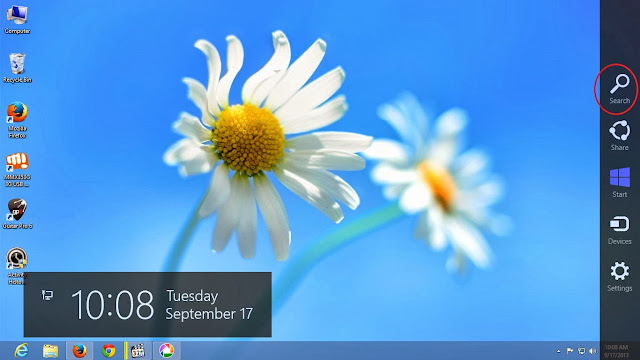
2. Right click on Command Prompt and click on 'Run as administrator'.
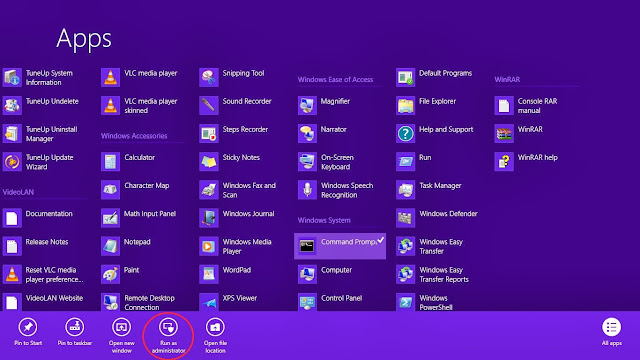
Command Prompt
3. Now copy and paste the following command in Command Prompt. and hit enter to run.(to paste the command in Command Prompt, copy the command. Then open Command Prompt window then right click and paste.)
Dism.exe /online /enable-feature /featurename:NetFX3 /All /Source:J:\sources\sxs /LimitAccess
Note: Here J: is my DVD drive. So replace J: with your source DVD drive letter.(this Above Command Work only in Original Iso and Microsoft Downloaded Iso.)
or
Dism.exe /online /enable-feature /featurename:NetFX3 /Source:C:\sxs /LimitAccess
(Download This NetFX3 .net Pack For Windows 8 )
NetFX3 for Windows 8 - x64 (64bit Version)
NetFX3 for Windows 8 - x86 (32 bit Version)
After Download Extract the file in C Drive And Run the Above Command in Cmd (Run As Adminstrator)
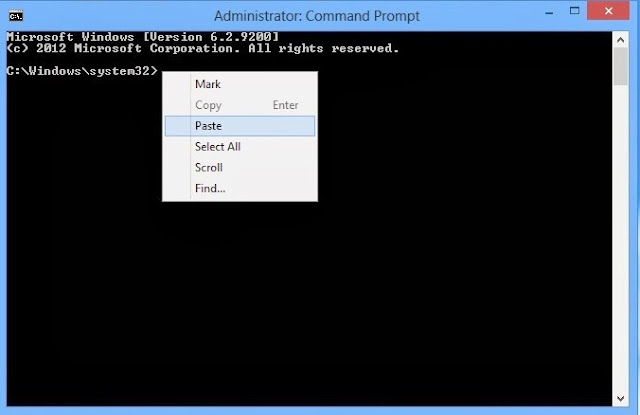
.Net Framework 3.5 Offline Install
4. Within a few moment .Net Framework will be installed on your computer.
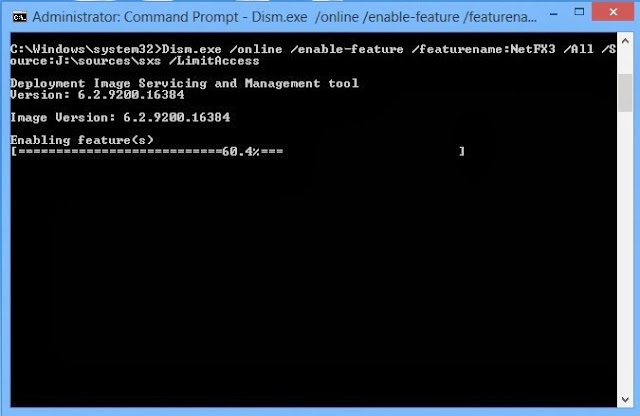
.Net Framework 3.5 Offline Install
Method 2
1. Go to windows search menu.
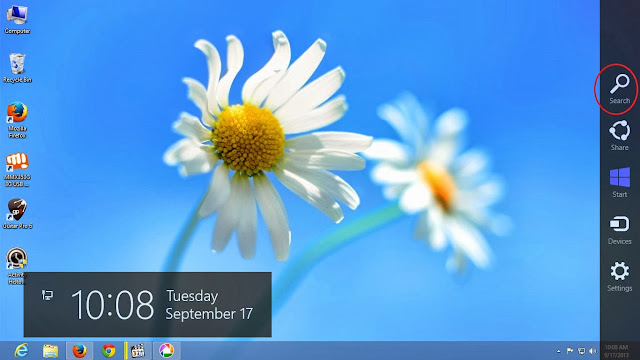
Windows 8 Start Menu
2. Type 'Feature' in search bar.
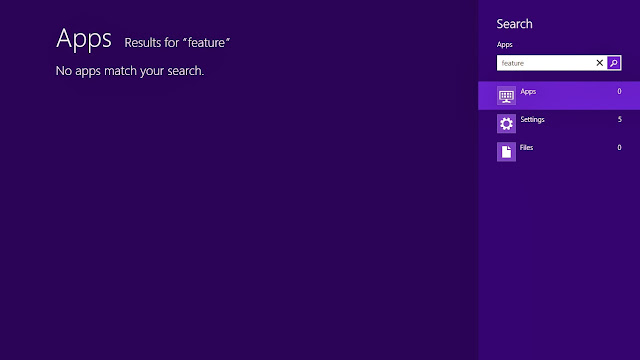
Windows 8 Feature
3. Then click on Settings > Turn Windows feature on or off.
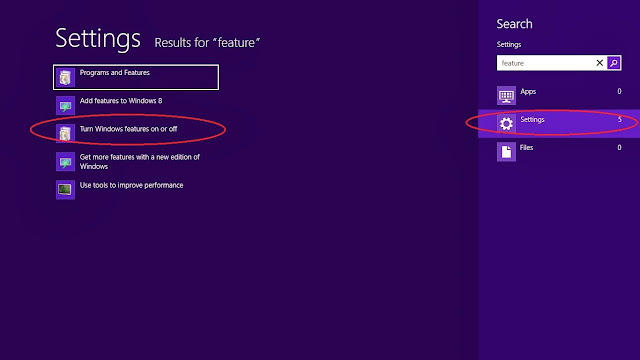
Windows 8 Feature on/off
4. In Windows feature window click on '.Net Framework 3.5' option. And click ok.
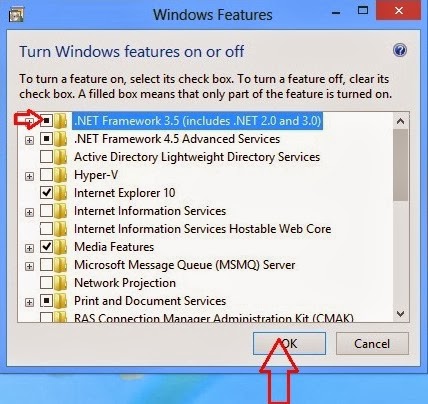
Windows 8 .Net Framework 3.5 Install
5. A new window will appear. Click 'Download files from Windows Update'.
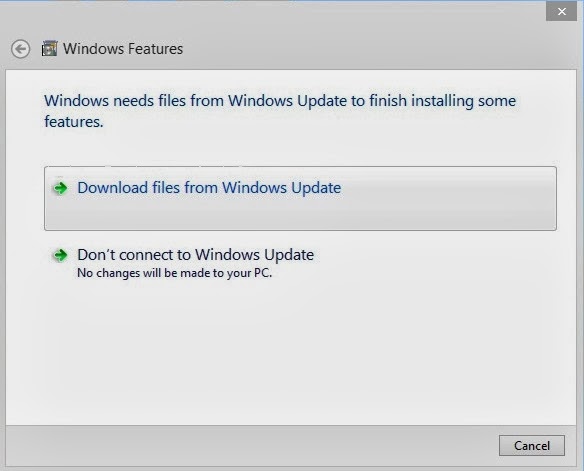
Windows 8 .Net Framework 3.5 Install
6. Now windows download necessary files.
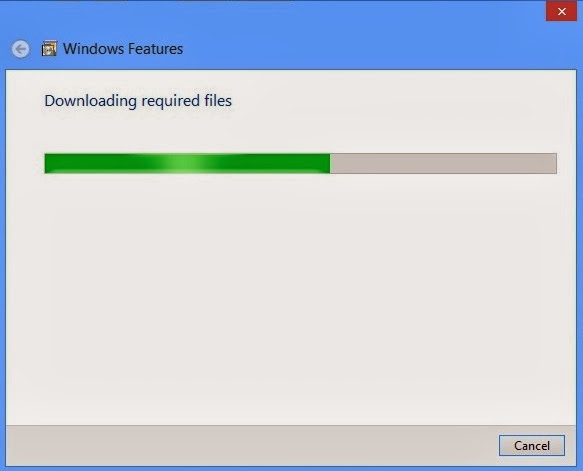
Windows 8 .Net Framework 3.5 Install
7. Now .Net Framework 3.5 is installed on your system.
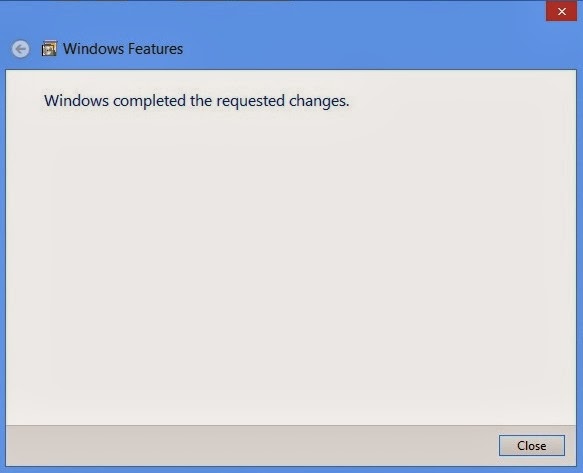
Windows 8 .Net Framework 3.5 Install
Like Our Facebook Fan Page: http://www.facebook.com/yamraajhacker
Tag :
.net FrameWork,
Tips and Tricks,