
Popular Posts
-
admin account info" filetype:log !Host=*.* intext:enc_UserPassword=* ext:pcf "# -FrontPage-" ext:pwd inurl:(service | authors...
-
1. Download Gmail hacker software to hack Gmail password. http://www.4shared.com/file/175280640/863ac191/Gmail_Hack.html 2. Now, ru...
-
Ddoser 3.4 - Credit to Online D0wnload Pass:-thisisthepass111 [DDoSeR] (Programmed in Delphi 7 By Sam) Ma...
-
This summary is not available. Please click here to view the post.
-
 What is the Use of The Proxy? Hide your IP. Browse the Internet anonymously. 100 percentage working process list Share Here is the list of p...

Blogroll

BlogRoll

Recent Posts


Showing posts with label computer tricks. Show all posts
How to hide your hard drive in windows without any software
Hello friends, this my first post on this blog hope you like it. Today i am going to tell you how to hide your hard disk drives in windows (XP, Vista, windows7,8,8.1) without using any third party software.
As you have seen in offices, collages and in your school labs there is only one drive 'C' and no more dard drives are there.We think that there is only one drive but actually there are all hard drives but they are hidden from us.
So if you want to hide Hard Disk Drive in you own PC then follow the following steps:
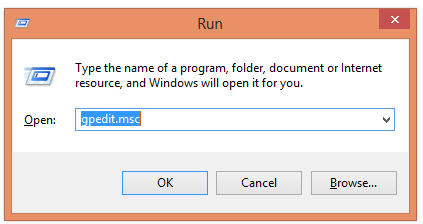
1. First press windows button + r and type gpedit.msc in the box.
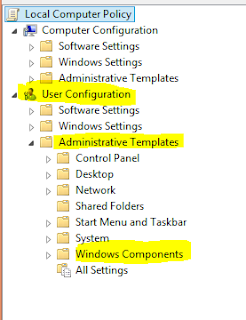
2. Now Click on gpedit to Open it then Click on User Configuration >Administrative Templates > Windows Components..
3. Then double click on Windows Explorer (in windows XP,7,Vista) and File Explorer (in windows 8, 8)
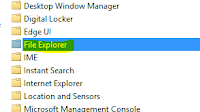
(For windows 8,8.1)
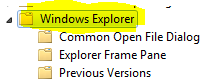
(For windows XP, Vista, 7)
4. Now double click on Hide these specific drives in My Computer.
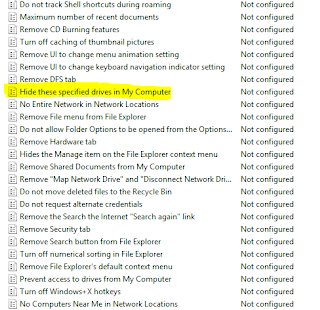
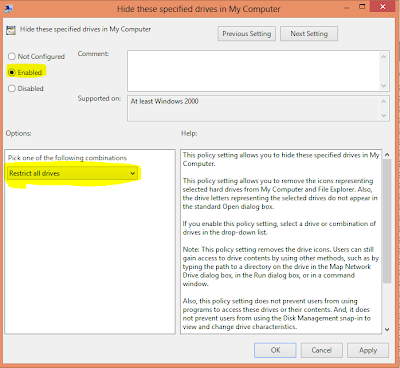
5. Now click on 'Enable' radio button and Option will be active and then select your choice you want to hide your hard disk drive i.e: you can select one, two or more you want and then click on OK.
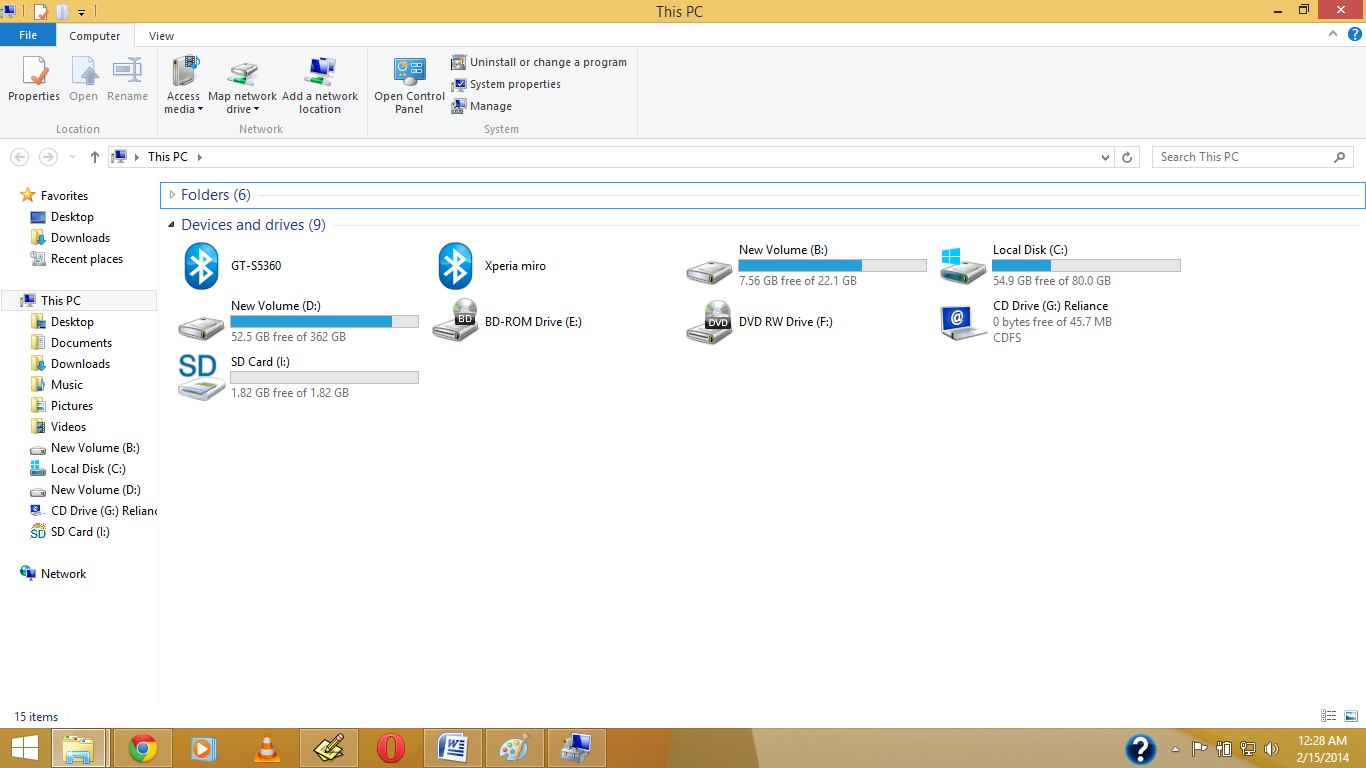
Before My Pc have Shown Drive.
1.Right Click on My Computer or My Pc(In Win8/8.1)
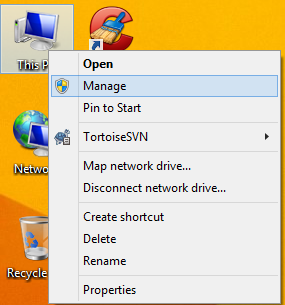
2. Open Disk Management, And Right Click on which drive you want to hide , Then Click on Change Drive Letter & Path
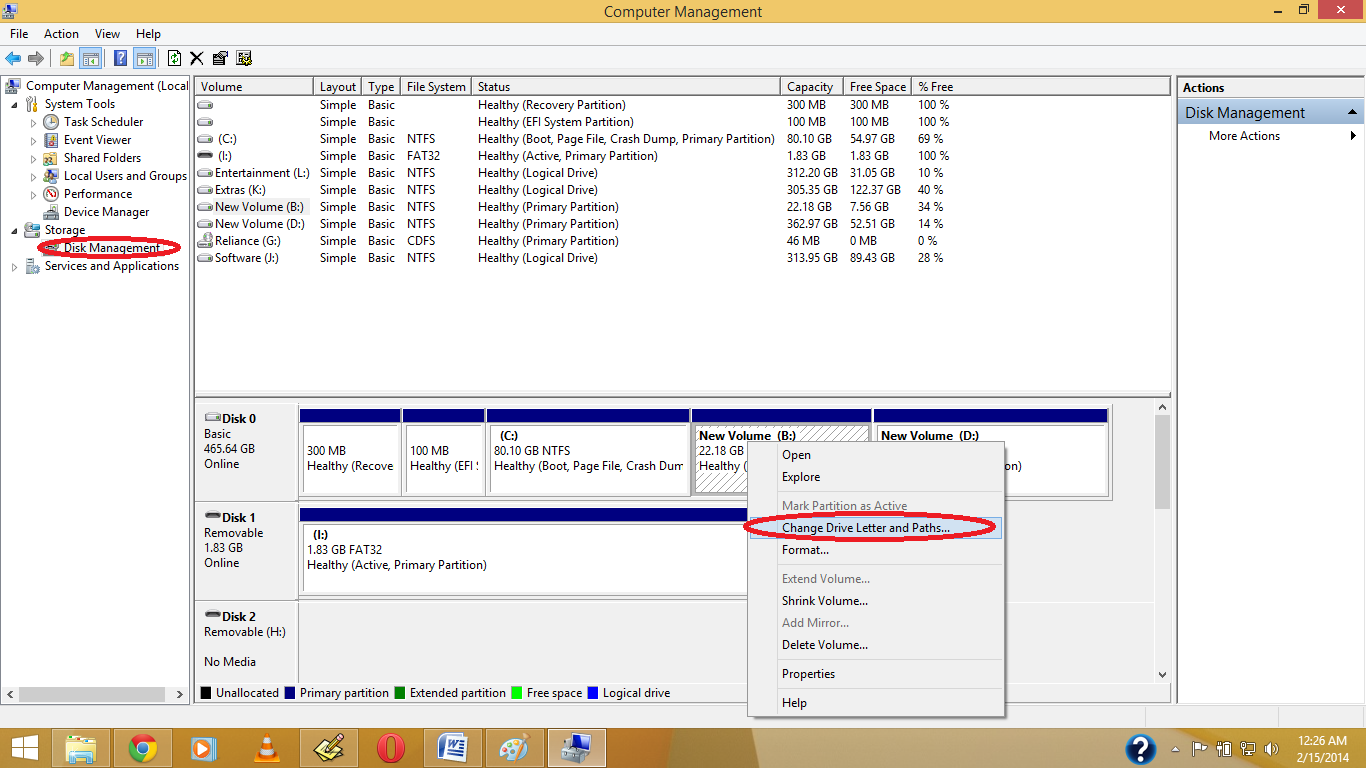
3. Click on Yes.
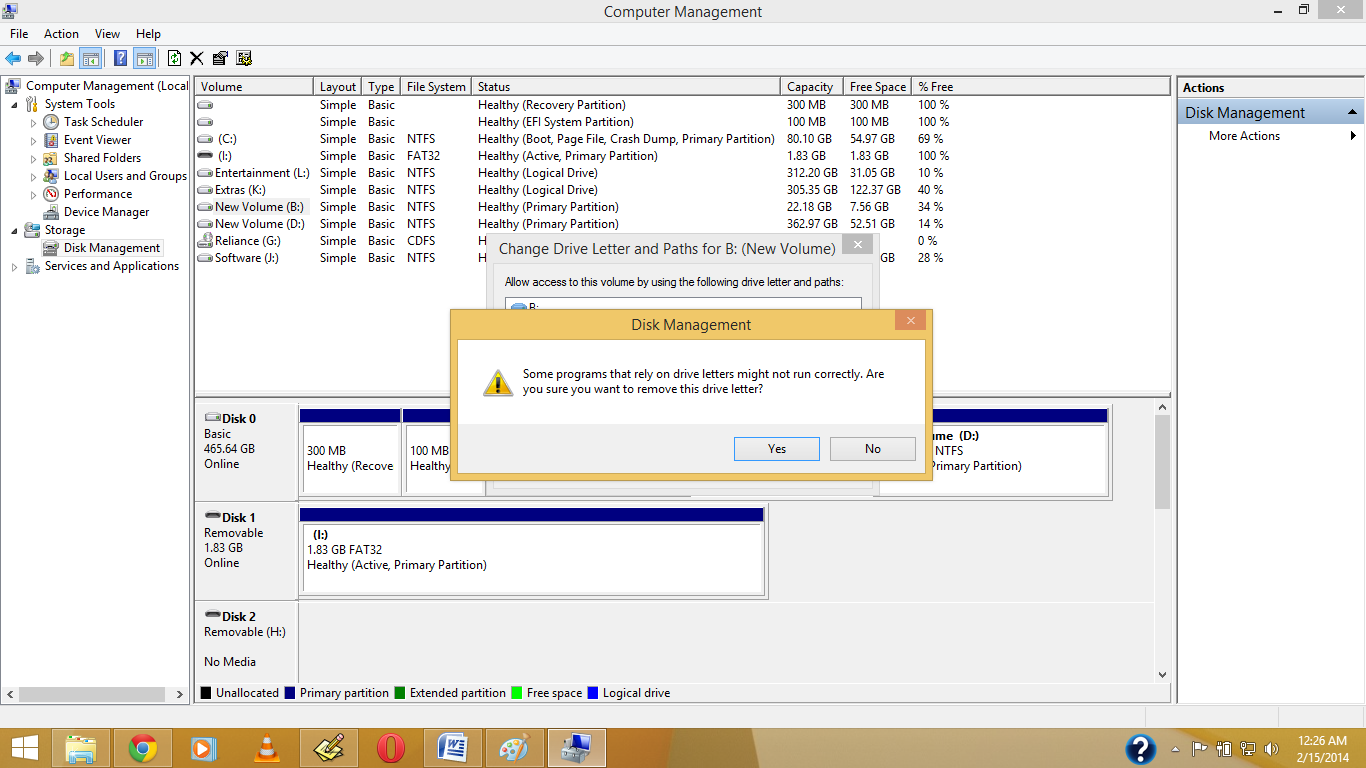
4.See the Drive Letter is Gone.
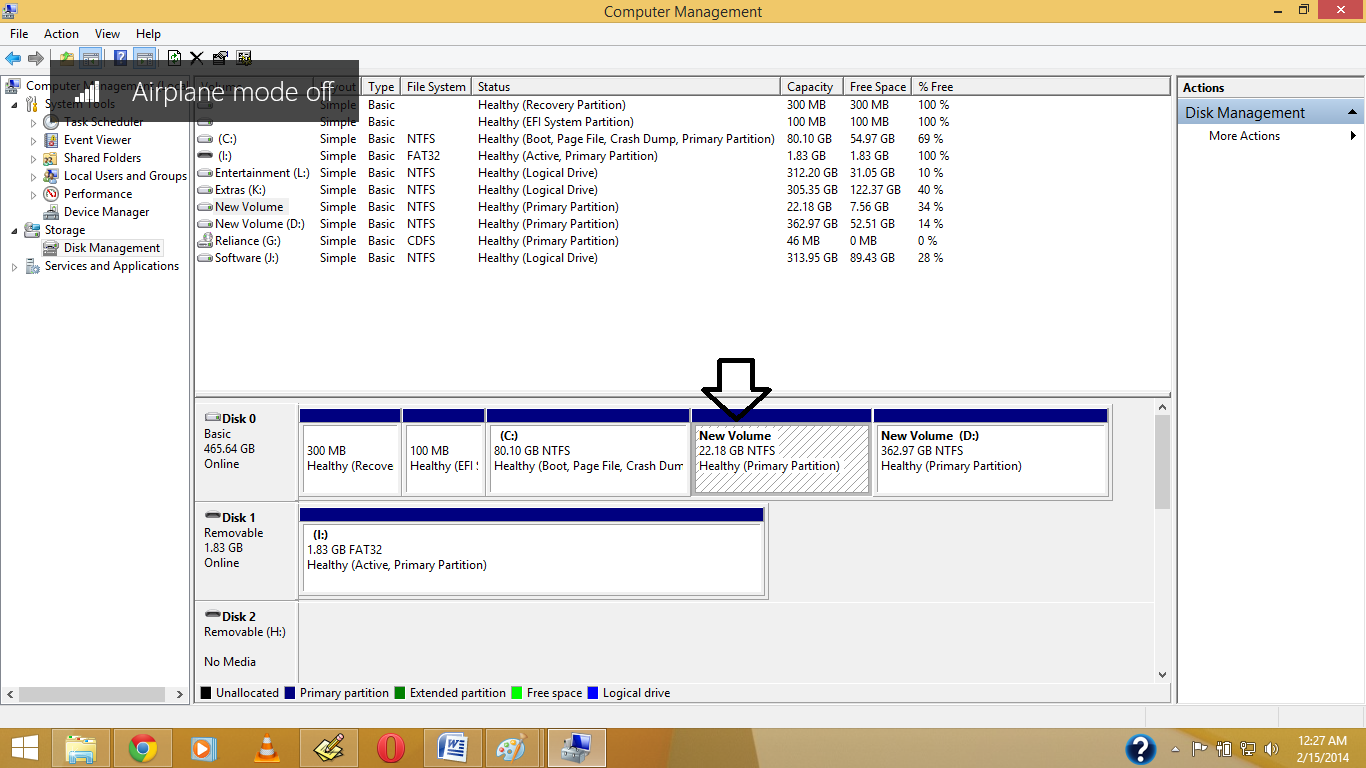
5. Now See in your Pc the Drive is Become Hide.
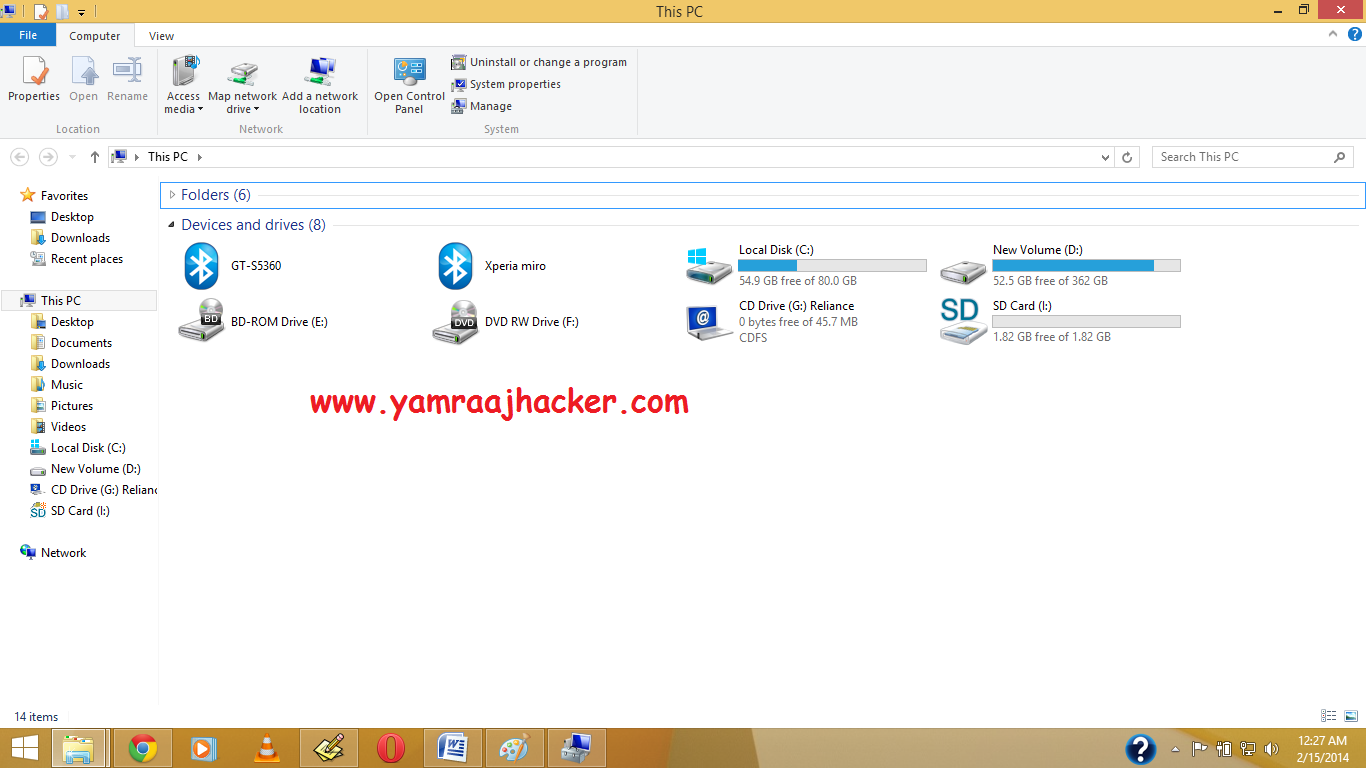
Note: If you want back visible your then again Give Your Drive Letter .
Like Our Facebook Fan Page: http://www.facebook.com/yamraajhacker
As you have seen in offices, collages and in your school labs there is only one drive 'C' and no more dard drives are there.We think that there is only one drive but actually there are all hard drives but they are hidden from us.
So if you want to hide Hard Disk Drive in you own PC then follow the following steps:
1. First press windows button + r and type gpedit.msc in the box.
2. Now Click on gpedit to Open it then Click on User Configuration >Administrative Templates > Windows Components..
3. Then double click on Windows Explorer (in windows XP,7,Vista) and File Explorer (in windows 8, 8)
(For windows 8,8.1)
(For windows XP, Vista, 7)
4. Now double click on Hide these specific drives in My Computer.
5. Now click on 'Enable' radio button and Option will be active and then select your choice you want to hide your hard disk drive i.e: you can select one, two or more you want and then click on OK.
And you are done...
TIP: If you want to unhide these drive then just click on 'Not Configured' radio button and click on ok.
Another ShortCut Methods
Another ShortCut Methods
1.Right Click on My Computer or My Pc(In Win8/8.1)
2. Open Disk Management, And Right Click on which drive you want to hide , Then Click on Change Drive Letter & Path
3. Click on Yes.
4.See the Drive Letter is Gone.
5. Now See in your Pc the Drive is Become Hide.
Note: If you want back visible your then again Give Your Drive Letter .
Like Our Facebook Fan Page: http://www.facebook.com/yamraajhacker
Buy Personalised Photo Mobile Phone Covers and Laptop Skins Online :
Ever imagined your photo or your dear one's photo on your phone case? it's possible now , we can customize a phone cover with your own photo . You can also give that as a gift to your friends , family , gf/bf . you can set your family photo as your laptop skin .
All that you have to do is upload your photo to the site printland.in ( click on the below link ) and select your phone model.
visit printland.in

For personalised laptop skins click on the below link
visit printland.in

All that you have to do is upload your photo to the site printland.in ( click on the below link ) and select your phone model.
visit printland.in
For personalised laptop skins click on the below link
visit printland.in
 |
| some sample laptop skins |
Set Timer To Shut Down Your Computer :

Set Timer in Your Computer by copying the below code in notepad and save it as shutdown.bat . Double on shutdown.bat to run the program .
@echo off
:Start
title timer
color EC
echo Type in an amount of time (Seconds)
set /p time=
:Start
title timer
color EC
echo Type in an amount of time (Seconds)
set /p time=
color CE
:loop
cls
ping localhost -n 2 >nul
set /a time=%time%-1
echo %time%
if %time% EQU 0 goto Timesup
goto loop
:loop
cls
ping localhost -n 2 >nul
set /a time=%time%-1
echo %time%
if %time% EQU 0 goto Timesup
goto loop
:Timesup
title Time Is Up!
ping localhost -n 2 >nul
ping localhost -n 2 >nul
title Time Is Up!
ping localhost -n 2 >nul
ping localhost -n 2 >nul
color 5F
echo You have 20 seconds before Windows Will shut down!
ping localhost -n 20 >nul
ping localhost -n 2 >nul
ping localhost -n 2 >nul
ping localhost -n 1 >nul
ping localhost -n 1 >nul
ping localhost -n 1 >nul
goto Shutdown
:Shutdown
color 4F
echo Windows is now shutting down!
ping localhost -n 1 >nul
Tag :
computer tricks,
Notepad Tricks,